
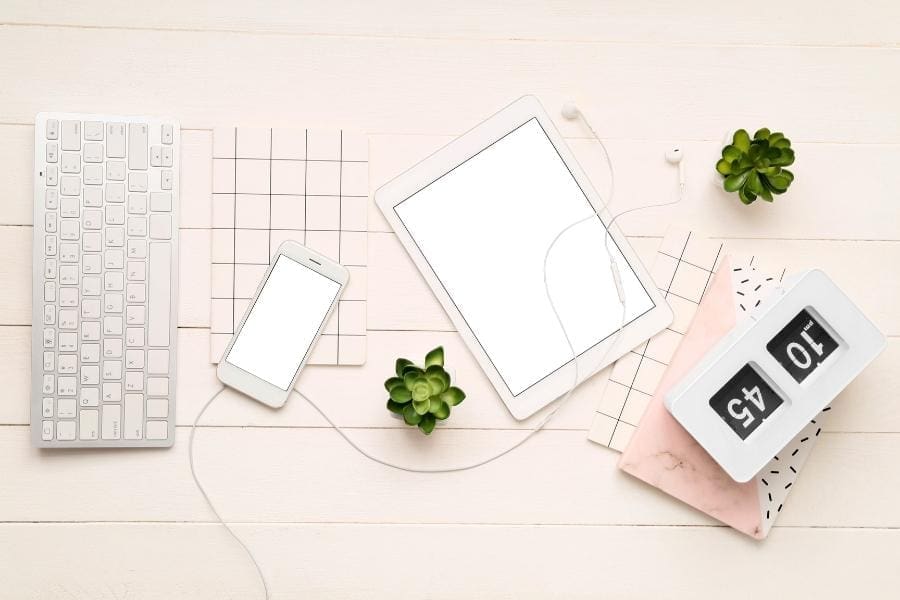
Remote jobs are taking over the work industry. Working from home has become the new normal for millions of individuals worldwide after the Coronavirus pandemic. Statistics show that 30% of the UK workforce works from home at least once weekly.
As such, working from home can be assumed to be the new normal for many modern employees. While you might already have a computer, you need to also make sure that you create the right home office environment.
Working from home can be a lot more pleasant and productive with the right tools. Here are the best gadgets to consider for modern workers.
Ergonomic Chair And Desk
Getting a comfortable chair and desk is essential for all modern workers because it plays a role in your posture and overall work life. Studies show that people using non-ergonomic chairs are liable for musculoskeletal disorders and repetitive strain injuries. Conventional chairs do not follow your spine curves and will likely cause discomfort during long working hours.
Since you'll likely be doing a lot of work from home for the foreseeable future, it's crucial that you invest in an ergonomic chair that provides good lumbar support. If you have these symptoms while sitting at your desk, it may be time to upgrade to a chair that offers more lumbar support. If you're having back discomfort while working from home, you should consult physicians on the best type of seats for back pain.
Desk Lamp
Improving workspace brightness is easy by placing the desk near a window or under an overhead light source. However, there's the risk of glare or shadows ruining your work experience. Fortunately, this is an easy problem to fix using a desk lamp. If you routinely work late into the night, a desk light is an indispensable piece of office equipment. During purchase, it is best to choose one that you can swivel or adjust easily to match your work
Easy-To-Type Keyboard
There are numerous computer keyboards, from budget-friendly to high-end designers, that you can use for your workspace. If your job requires you to type a lot, invest in a high-quality, easy-to-type keyboard. They're either wired (for use with a USB port) or wireless (using Bluetooth, a technology included in virtually all contemporary portable and desktop computers).
Some individuals are dedicated to using only mechanical keyboards, which appear like they came with PCs from the 1990s and need more physical movement on the keys to activate. In contrast, others prefer scissor-switch keyboards, which are shallower and more like those on a laptop.
Remember that most wireless keyboards will need batteries, so you may want to invest in a set of rechargeable batteries as well. Most can go months on a single pair of AA or AAA batteries.
Monitor
Buying a tower desktop necessitates a monitor, which you can find in various shapes, sizes, resolutions, and price points. In general, you shouldn't have any problems with resolutions up to 24 inches in Full HD, 1080p, or similar; however, Quad HD, 1440p, or similar will seem sharper. QHD is a bare minimum for screens 27 inches and up, while 4K is a luxury for bigger screens.
The top of the screen should be the same height as the user's eyes; hence a height-adjustable monitor is a must. If your monitor does not have an adjustable stand, you may want to try purchasing a VESA-compatible third-party stand or using a stand or stack of books to raise the screen.
To save money while setting up your workspace, go for refurbished monitors from reliable stores. This type costs less than purchasing new ones and also does the job of displaying your computer's activity. Plus, they're creative ways to help you live sustainably and help the environment cut down carbon footprint.
Laptop Stand
Keep your energy up and your body pain-free by practising good posture. Good posture when using a laptop isn't always possible. A stand can help you work more comfortably by putting your back and shoulders in the correct posture. Laptop stands often have an adjustable height so that you may use them both when sitting and standing. Because of how portable it is, you can set up shop pretty much everywhere in the home.
Mouse
Muscle strain and pain are two potential side effects of clicking a mouse repeatedly. To some extent, moving to an ergonomic mouse from a standard mouse can help reduce pain. The ergonomic mouse was developed with the user's comfort and efficiency in mind. By allowing your hand to rest naturally on the mouse, you can reduce the risk of getting carpal tunnel syndrome, tendonitis, and other ailments by keeping your wrist, elbow, and arm in a neutral posture.
External Microphone
Working from home also entails catching up with group meetings to know upcoming tasks, current situations and work progress. However, poor microphones may ruin video chats and online conferences. Internal microphones are standard on many modern computers, although their performance may not be up to par. Workers who often use voice recordings or participate in virtual meetings should invest in external microphones to improve work efficiency. To better capture your speech and minimize distractions, consider purchasing an external computer mic.
Air Purifier
Clean air is vital for healthy lungs, so an air purifier helps remove toxins from the atmosphere. A lack of energy and the onset of allergy or asthma symptoms have been linked to inhaling irritating tiny organisms such as dust, pet dander, and pollen. You can remove this from the air with the use of a purifier. Also, an air cleaner may operate as a white noise generator, masking any jarring background noises in the home.
Zero Noise Earphones
After getting your computer and desk set up, the next best advice would be to invest in a pair of noise-cancelling headphones, which will come in handy if you want intense focus at work. Most of these earphones feature microphones, making them ideal for video chats or phone conversations.
External Storage
Having a lot of data and programs installed may quickly take up all your storage space. When working from home, it's easy for personal and works information to become mixed up when using the same device. In such cases, an external hard drive's sometimes enormous storage capacity (greater than your laptop or desktop computer, in some cases!) might be helpful. There is currently an external drive on the market that can meet the needs of almost everybody, whether they need a few additional GB of space or a lot of memory for larger files.


0 Comments